> For the complete documentation index, see [llms.txt](https://docs.drivepoint.io/llms.txt). Markdown versions of documentation pages are available by appending `.md` to page URLs; this page is available as [Markdown](https://docs.drivepoint.io/data-integrations/retailer-integrations.md).
# Retailer Integrations
💡 You will need the Wholesale Add-On in order to integrate with retailers.
Thanks to our amazing partnership with [Muffin Data](https://www.drivepoint.io/muffin-data), we are able to power your wholesale forecasting easily. Muffin Data connects seamlessly with major retailers and sends Drivepoint's platform reliable wholesale data frequently so you can see granular wholesale data on a weekly basis.
**Supported Retailer Integrations**
& many more
#### **How do I hook up my Wholesale Data to Drivepoint?**
1. Purchase the Wholesale Add-On *(👀get in touch with your Customer Success rep if you want to learn more!)*
2. Select as many retail integrations from the 'menu' as you'd like
3. Keep your eyes peeled for an email containing an invite to the Muffin Data platform to add your retailer login infos
4. Sign into the portal and connect all of your data sources seamlessly in the Muffin Data platform
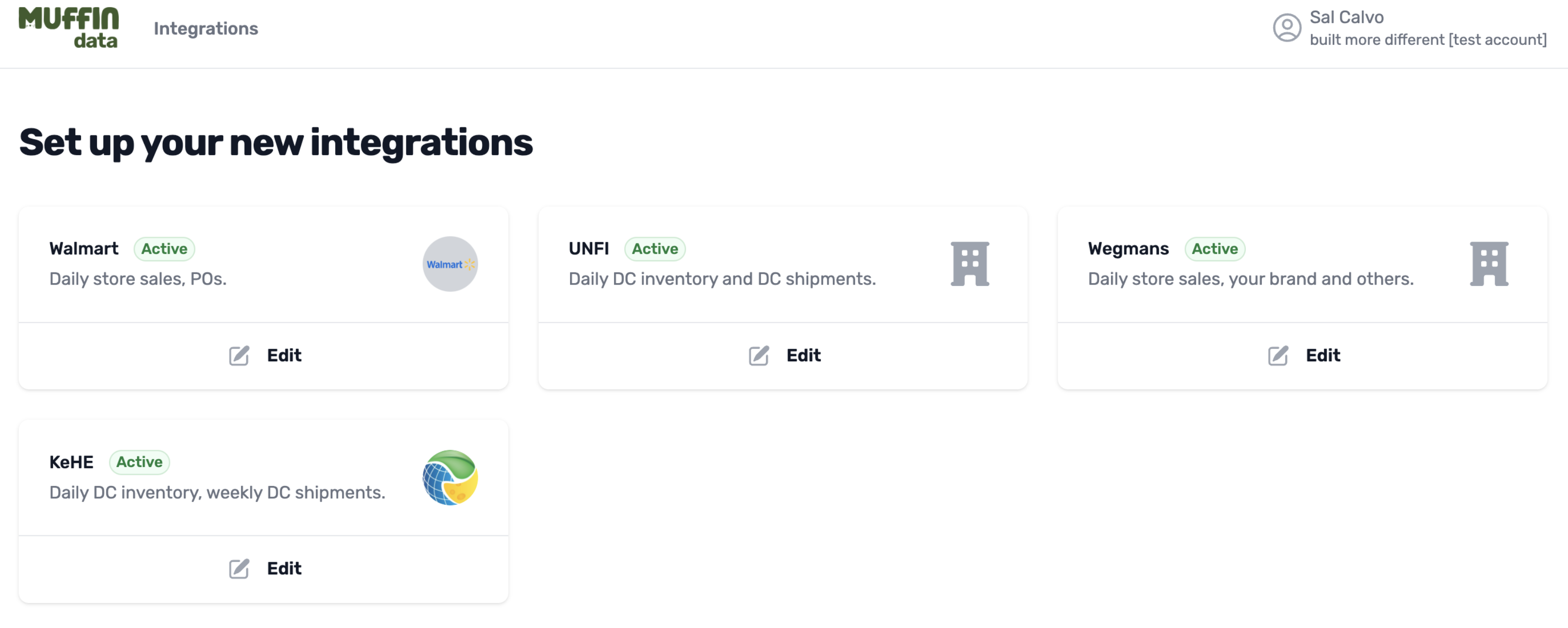
Retailer Integration Setup View in Muffin Data
5. Once you added the login infos for all desired retailers, you can lean back and enjoy a cup of coffee while we stand up the Wholesale schedule in your SmartModel™ ☕️
6. The Drivepoint team will be in touch in the following days and show you the newly added Wholesale forecasts in the SmartModel™️, 1-Click Import of Retailer Data functionality and core out-of-the-box wholesale trend and variance reports
*If you want to get started asap, get in touch with us!*
{% content-ref url="/spaces/GWP01Uan8w7wePRkCAQS/pages/JIL9p5hP3IZ9pTXZcuqP" %}
[Contact Us](/help-1/contact-us.md)
{% endcontent-ref %}
---
# Agent Instructions
This documentation is published with GitBook. GitBook is the documentation platform designed so that both humans and AI agents can read, navigate, and reason over technical content effectively. Learn more at gitbook.com.
## Querying This Documentation
If you need additional information that is not directly available in this page, you can query the documentation by asking a question.
Perform an HTTP GET request on the following URL with the `ask` and `goal` query parameters:
```
GET https://docs.drivepoint.io/data-integrations/retailer-integrations.md?ask=&goal=
```
`ask` is the immediate question: it should be specific, self-contained, and written in natural language.
`goal` is what the user is ultimately trying to achieve, the reason they need the answer. Sharing it helps GitBook give you a better, more relevant answer. A goal is most helpful when it describes the outcome the user wants rather than restating the question. For example, with `ask=how do I create an API token`, a goal like `automate deployments from our CI pipeline` lets GitBook tailor the answer to that use case.
The response will contain a direct answer to the question and relevant excerpts and sources from the documentation.
Use this mechanism when the answer is not explicitly present in the current page, you need clarification or additional context, or you want to retrieve related documentation sections.