# How do I know if my data is accurate?

## Quickbooks

1. Reconcile to Quickbooks on the import (calculate net income) and compare to net income
2. Go to Quickbooks and confirm the import
3. Check live on the M-Monthly tab in the SmartModel™ as indicators *(performed on a monthly basis)*

<figure><img src="/files/pa7kjMjEKs1TVLYH7gCZ" alt=""><figcaption><p>The green rows indicate that there are no issues and everything matches QBO.</p></figcaption></figure>

4. Data "Freshest Data Available" shows when data was pulled in the warehouse and can be imported in the SmartModel™.&#x20;

<figure><img src="/files/aqsNDqwUqdVjODlEq1Wr" alt=""><figcaption><p>Example: Latest data for QBO that can be imported into the SmartModel is from June 18th, 4am EST</p></figcaption></figure>

## Shopify

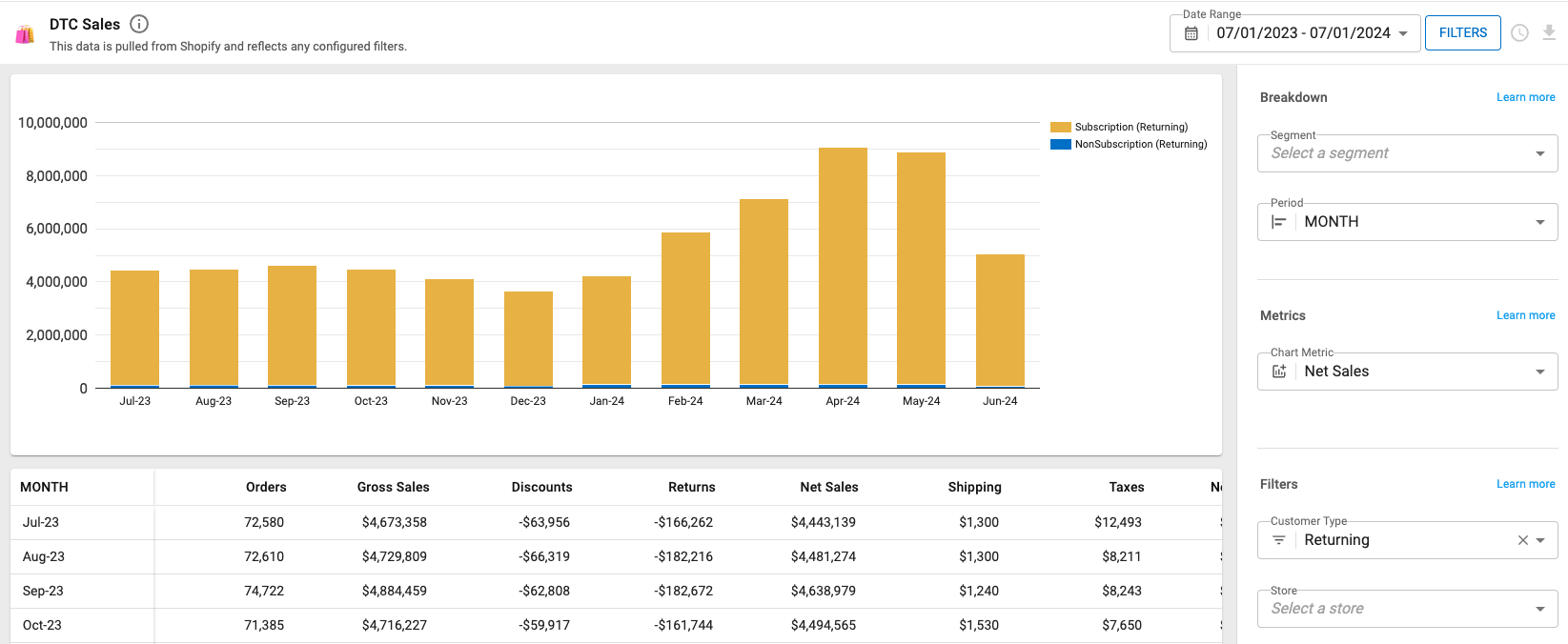
1. Navigate to the Shopify [Analytics](https://admin.shopify.com/dashboards) Dashboards
2. Add the desired time frame and metric
3. Compare the Shopify Sales performace to Drivepoint Shopify reports&#x20;

<figure><img src="/files/wKKTSkLLWkqO36yrL4vw" alt=""><figcaption><p>Drivepoint > Reports > DTC Sales</p></figcaption></figure>

## Amazon

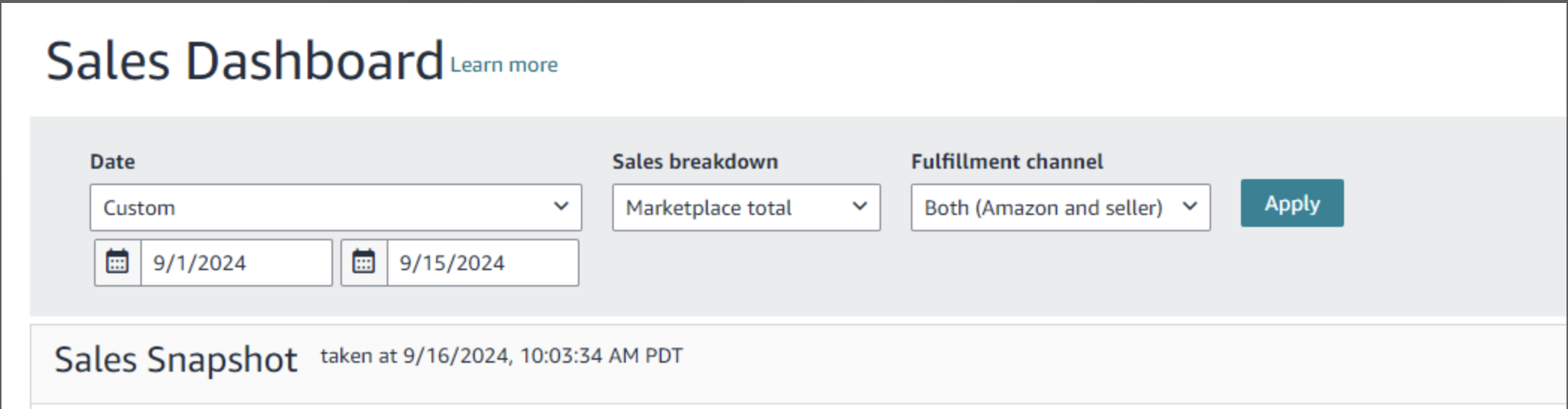
1. Navigate to the Amazon Sales Dashboard
2. Add the desired time frame, sales breakdown and fulfillment channel

<figure><img src="/files/1qIG8coJ5woJSqXQL9kr" alt=""><figcaption><p>Sales Dashboard within Amazon Seller Central</p></figcaption></figure>

3. Compare the Amazon Sales dashboards to Drivepoint Amazon reports

<figure><img src="/files/8msCxGwySHAb8t9byrAL" alt=""><figcaption><p>Drivepoint > Reports > Amazon Sales</p></figcaption></figure>

*We are working on a fix to ensure all Amazon data is always up to date, however we encountered that there sometimes might be a 14-Day time lag for Amazon Sales data. Learn more by clicking on Amazon reports below.*

{% content-ref url="/spaces/ePRvSjErXFousUDSWAz7/pages/N9BKbfVSxVucmF4yc5IK" %}
[Amazon Reports](/using-the-web-app/reports/amazon-reports.md)
{% endcontent-ref %}

## Muffin Data

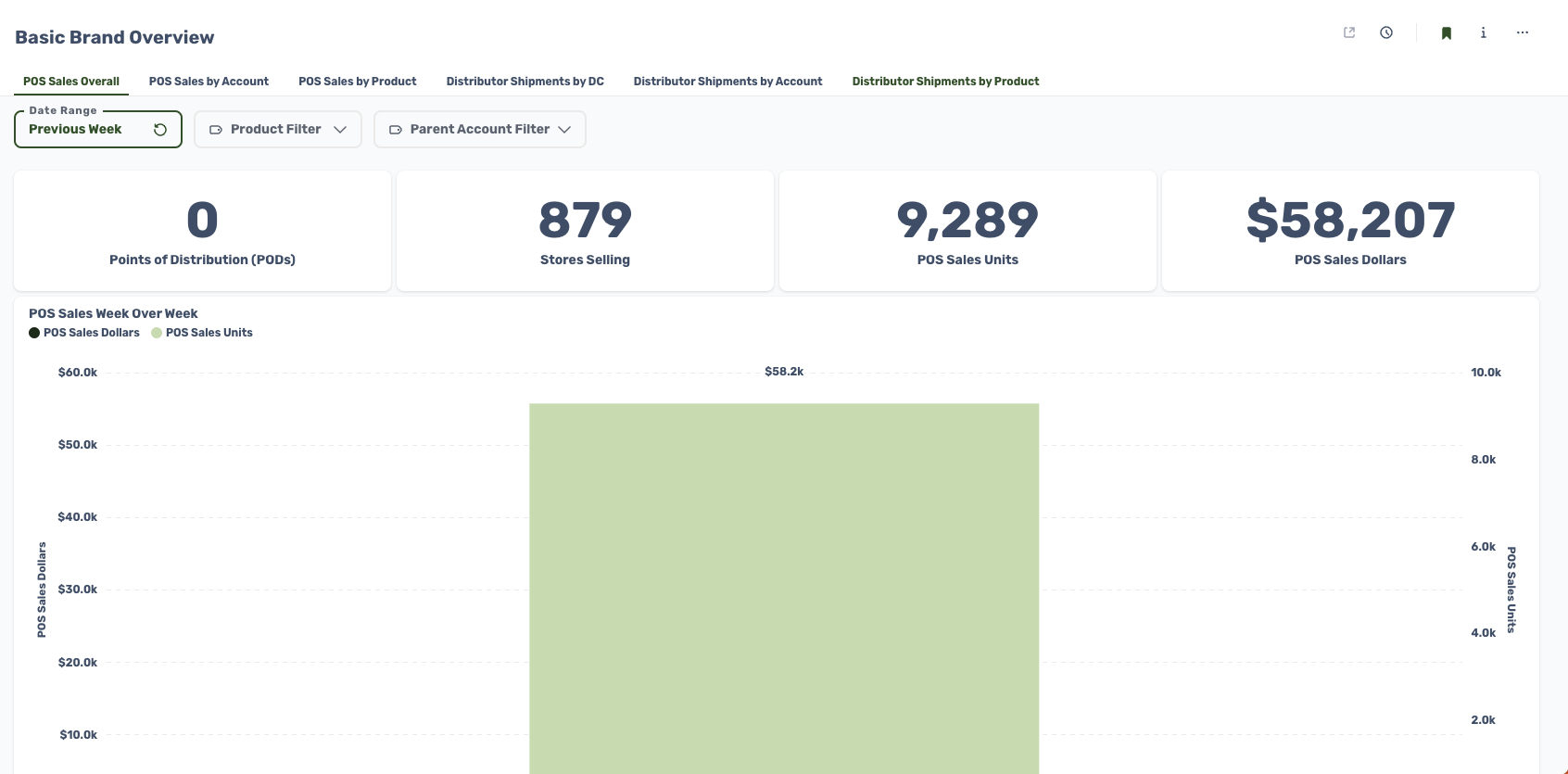
1. Navigate to the Muffin Data [Dashboard](https://analytics.muffindata.com/)
2. Select the desired time frame and metric

<figure><img src="/files/tKTZiRiCdCwEcC6wbv2N" alt=""><figcaption><p>Muffin Data Dashboard</p></figcaption></figure>

3. Double check the numbers in the R-Wholesale tabs in the SmartModel™

<figure><img src="/files/AuoKB9acERwM72oeygny" alt=""><figcaption><p>R-Wholesale by PRA / Product / PRA Product</p></figcaption></figure>


---

# Agent Instructions: Querying This Documentation

If you need additional information that is not directly available in this page, you can query the documentation dynamically by asking a question.

Perform an HTTP GET request on the current page URL with the `ask` query parameter:

```
GET https://docs.drivepoint.io/data-integrations/how-do-i-know-if-my-data-is-accurate.md?ask=<question>
```

The question should be specific, self-contained, and written in natural language.
The response will contain a direct answer to the question and relevant excerpts and sources from the documentation.

Use this mechanism when the answer is not explicitly present in the current page, you need clarification or additional context, or you want to retrieve related documentation sections.